

How to Start a Podcast on YouTube in 2026
Plan your show, then set it up in YouTube Studio via a podcast playlist or RSS feed. Record clean audio, edit tightly, and publish each episode with a strong title, description, chapters, and thumbnail. Post consistently, promote with Shorts and Community posts, and use analytics to improve retention and grow.
Reviewed by Jack Freegard, Managing Director at TYX – Updated 19 December 2025
YouTube now has over 2 billion users and has become a major platform for podcasts, especially for younger listeners. If you want your show to meet people where they already are, starting a podcast on YouTube is one of the smartest moves you can make.
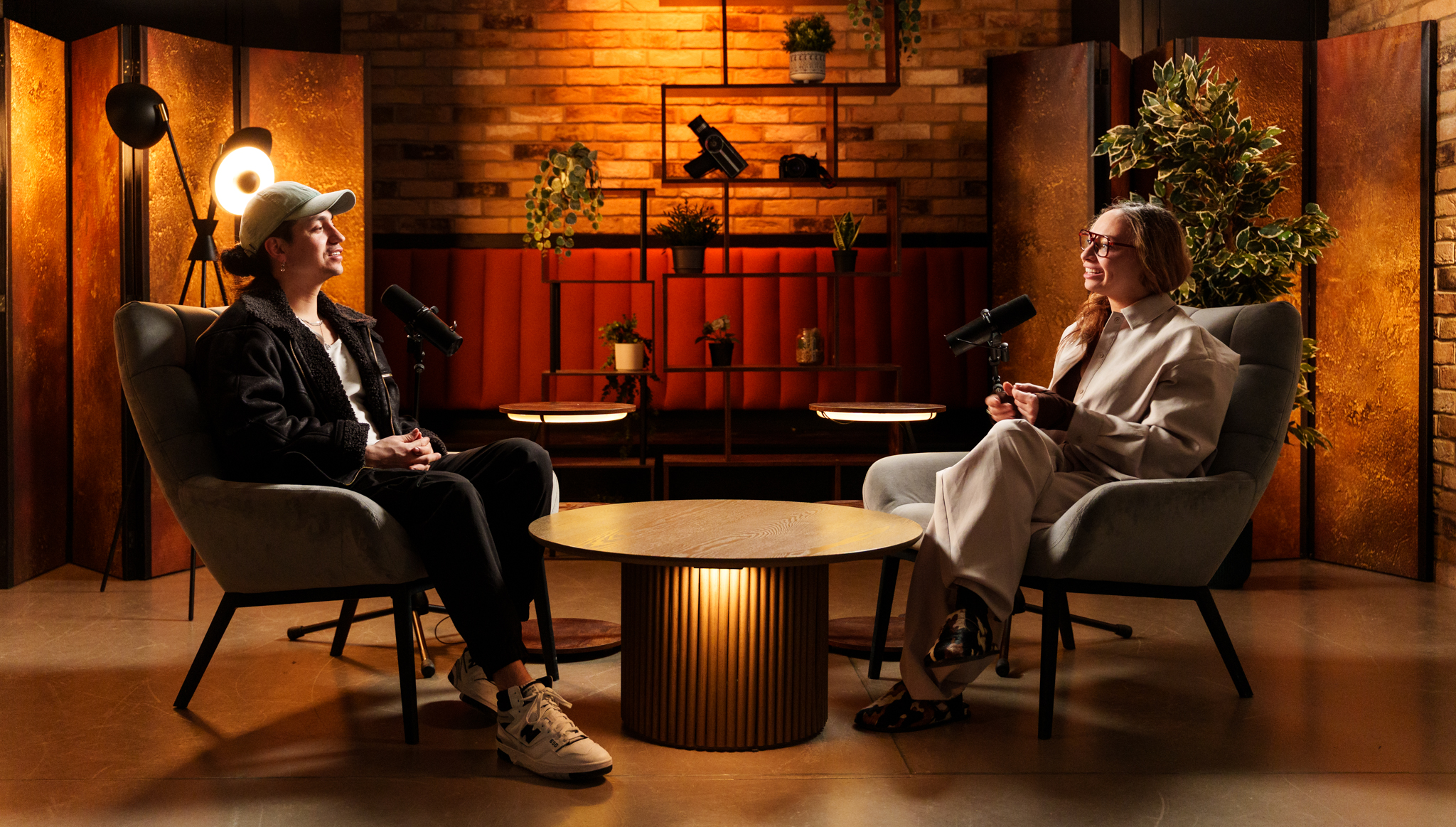
We film video podcasts at TYX Studios in London every week for brands, agencies, podcasters, and artists. The guide below reflects how we actually set up and run those sessions, not a generic tutorial.
This covers planning your show, choosing the right video podcast equipment, configuring YouTube Studio, and building a workflow you can sustain.
Remember, you can start recording immediately with simple tools and start uploading before your setup is perfect. You’ll refine your podcast setup as you go.
What a YouTube podcast actually is (and why it matters)
On YouTube, a podcast is essentially a playlist, and each episode is a standard YouTube video within that playlist. When you mark a playlist as a podcast in YouTube Studio, you unlock podcast features such as a Podcasts tab on your channel, podcast badges on the watch page, and audio-only listening in YouTube Music.
You also get dedicated podcast analytics in YouTube Studio, with views, watch time, and audience retention grouped by show. That makes it easier to judge performance using signals like watch time and engagement.
What are the benefits of podcasting on YouTube?
YouTube combines search, recommendations, and video to help podcasts reach more people and build stronger audience connection over time. Benefits include:
- Faster reach by tapping into YouTube’s vast audience and built-in discovery.
- A stronger connection because viewers see faces, body language, and reactions.
- More ways to get found, with episodes surfacing in search, Home, and recommendations.
- Long-tail growth as episodes keep circulating and getting resurfaced over time.
- Easier binge-watching through a dedicated podcast playlist that plays episodes in order.
- Wider distribution without starting over: keep your RSS for listening apps like Apple Podcasts, and connect that same feed to YouTube in supported regions.
Note: If you use RSS delivery, review YouTube’s RSS ad/promo rules before importing your back catalogue.
Many YouTube creators now treat podcasting as a core format, because the platform’s discovery can keep episodes circulating for months.
What basic equipment setup you need
Good audio matters more than cinematic visuals. A podcast with clean sound and a basic camera will keep viewers. A podcast with studio-grade cameras and poor audio won't. Start there.
Audio
Microphone: One dynamic or condenser mic per voice, either USB for a simple setup or XLR connected to an audio interface. Dynamic mics (Shure SM7B, Rode PodMic) handle untreated rooms better. Condenser mics (Audio-Technica AT2020, Rode NT1) capture more detail but also more room noise. For most home setups, go dynamic.
Audio interface: If you're using XLR mics, you'll need an interface to connect them to your computer. The Focusrite Scarlett 2i2 handles 2 mics and is the standard entry-level choice. The 4i4 adds 2 extra line inputs for larger setups.
Headphones: Closed-back wired headphones for monitoring while recording. The Sony MDR-7506 at around £80 is the standard recommendation. Catch clipping, room noise, and cable rustle before you're 45 minutes into a session.
Pop filter: A foam windscreen or clip-on pop filter removes plosive bursts from P and B consonants. The cheapest improvement available relative to its impact.
Camera
1 camera: A phone on a tripod gets you started. For a step up, a Sony ZV-E10 II, Canon EOS R50, or similar mirrorless camera on a video tripod gives you a cleaner image with more control over depth of field. Position it at eye level and lock the framing before you record.
2 cameras: A second angle (wide shot of the full desk, or a tighter second-person shot) gives editors options and makes the video feel produced rather than recorded. Most video podcasts settle at 2 cameras for single-host or interview formats.
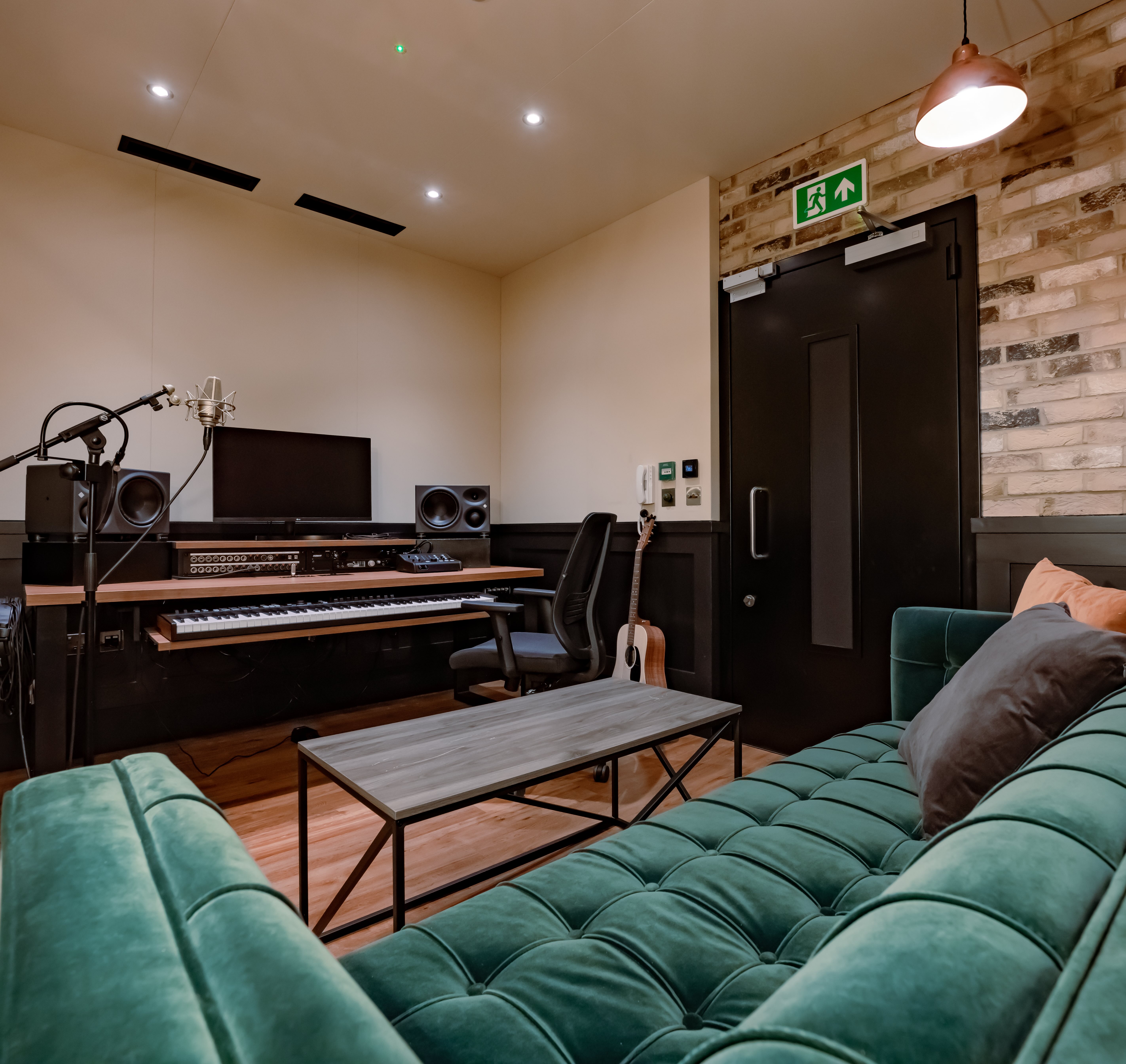
3 or more cameras: For panels, branded content, or YouTube series that need a professional finish. This is where a studio setup becomes the practical choice. At TYX, The Cove (Studio 1) runs 4 Sony FX2 cameras via Blackmagic ATEM SDI. The Founder (Studio 2) uses Sony FX30 and A7S III cameras on a 6-person broadcast desk. The Annexe (Studio 4) is Netflix-approved with 4 Sony FX2 cameras on a 5m x 5m stage.
Lighting
Key light: One soft LED panel or ring light positioned in front of and slightly above the speaker. Aim for 5600K (daylight) to match window light if you have it. An Elgato Key Light Air MK.2 or similar is a reliable entry-level option.
Fill light or reflector: A second, softer light or a white reflector on the opposite side reduces harsh shadows. Not essential for a basic setup but noticeable when you compare footage.
Background: A clean, consistent background matters more than an elaborate one. Solid colour walls, simple shelving, or a branded backdrop all work. Avoid windows directly behind the speaker. Mixed colour temperatures from different light sources are harder to fix in post than a single consistent source.
What we use at TYX: Our studios use Aputure lighting on custom overhead rigs with adjustable colour temperature and intensity. The set dressing (infinity coves, brick walls, curtain tracks, branded backdrops) is handled before the session starts so clients walk in and record without adjusting anything.
Recording software, editing software and workflow
DAW or recording software: For audio, Audacity (free), GarageBand (free, Mac), or Adobe Audition (paid, from ~$21/month annual). Record at 48kHz/24-bit.
Video recording: For in-person sessions, most cameras record directly to SD card. For remote sessions, Riverside or Descript (which includes SquadCast's recording engine) record separate local tracks per participant, which is the critical difference from recording a Zoom call.
Editing: DaVinci Resolve (free) handles both audio and video editing and is the most capable free option. Adobe Premiere Pro and Final Cut Pro are the standard paid alternatives.
If you're audio-first: YouTube can ingest via RSS and will create static-image videos from your show artwork, uploading episodes as they publish. Each podcast episode must be a video on YouTube. MP3-only files don't qualify.
Plan your show before you touch YouTube Studio
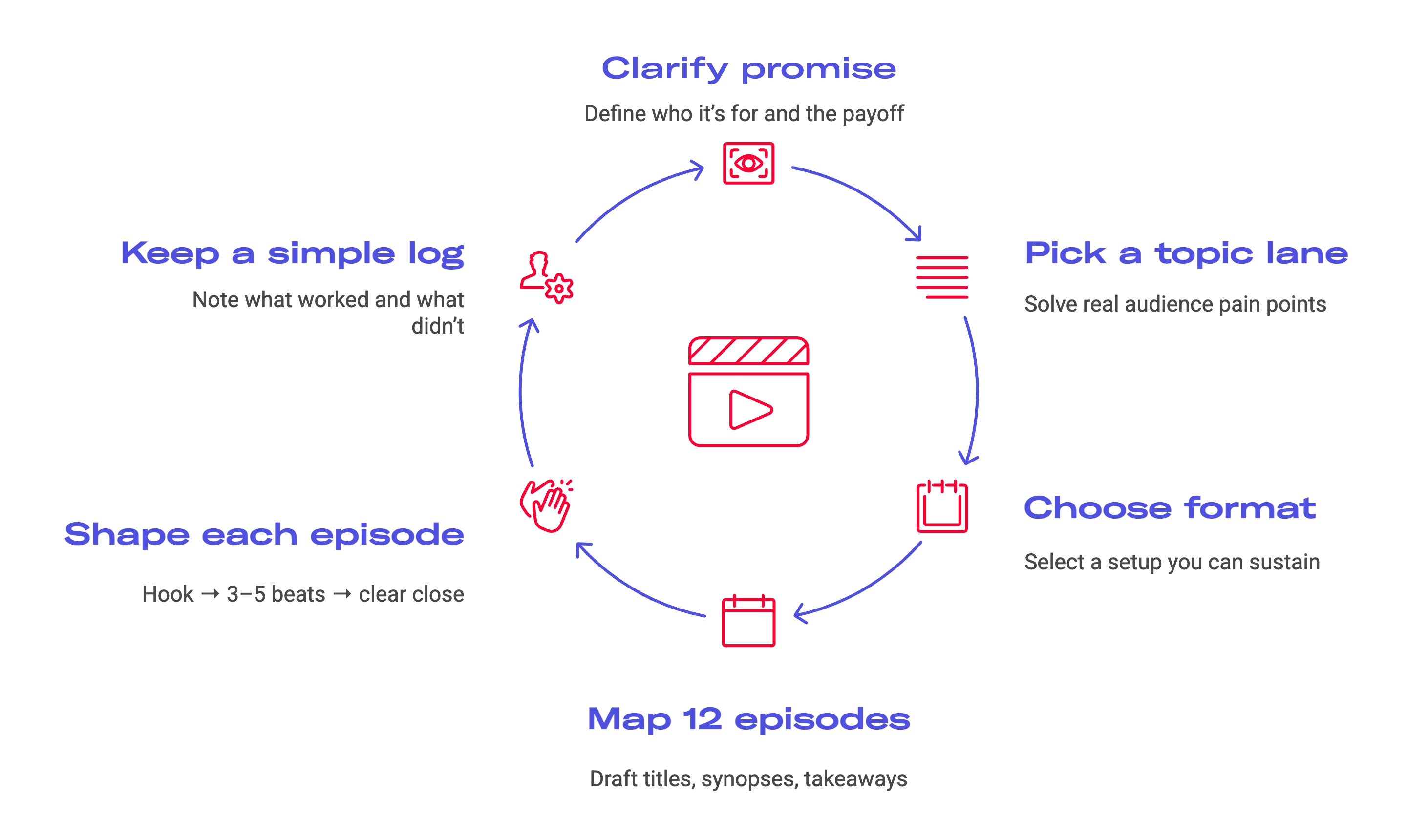
Good planning makes everything else easier and stops you stalling later.
Clarify your promise and target audience
Write one clear line that says who the show is for and what they get every time they watch or listen. It should make sense in seconds to someone browsing YouTube.
Choose topics that solve real audience pain points, not ideas that just sound clever. If a topic isn’t worth putting into your one-line promise, it probably isn’t a full episode.
Choose a podcast format you can sustain
Pick a format that matches how you like talking and the time you actually have. Solo is fast and flexible, a co-host adds chemistry and balance, interviews bring stories and reach, and panels work when roles are clear and the host can steer.
Map your first run of episodes
Sketch at least 12 episodes before you launch. Give each a working title, a two-line synopsis, and one clear takeaway so you know why it exists.
Keep a short production log after each recording: what landed, what dragged, and where viewers dropped off.
Give every episode a simple structure: a clear promise and hook in the first minute, 3–5 beats through the conversation, then one helpful link to your site or a related YouTube video.
Two ways to start: native video podcast vs RSS feed
YouTube supports two routes for podcasting. The right one depends on whether you’re starting from scratch or bringing an existing show.
Native YouTube podcast (video-first)
If you’re launching a new show and video is the point, record and edit a video podcast, then upload each episode as a normal YouTube video inside a playlist that’s set as a podcast. This works best when cameras, lighting, and a set are part of the format.
RSS feed podcast (audio-first, synced)
If you already publish an audio podcast via RSS, use the RSS option in YouTube Studio. Paste your feed and claim ownership so YouTube can import episodes, turn them into static videos, and keep new episodes synced as they publish.
Which to choose
Both routes unlock podcast analytics. Native prioritises visuals and video-first production, while RSS prioritises consistency and reach for an existing audio show.
How to set up your podcast in YouTube Studio
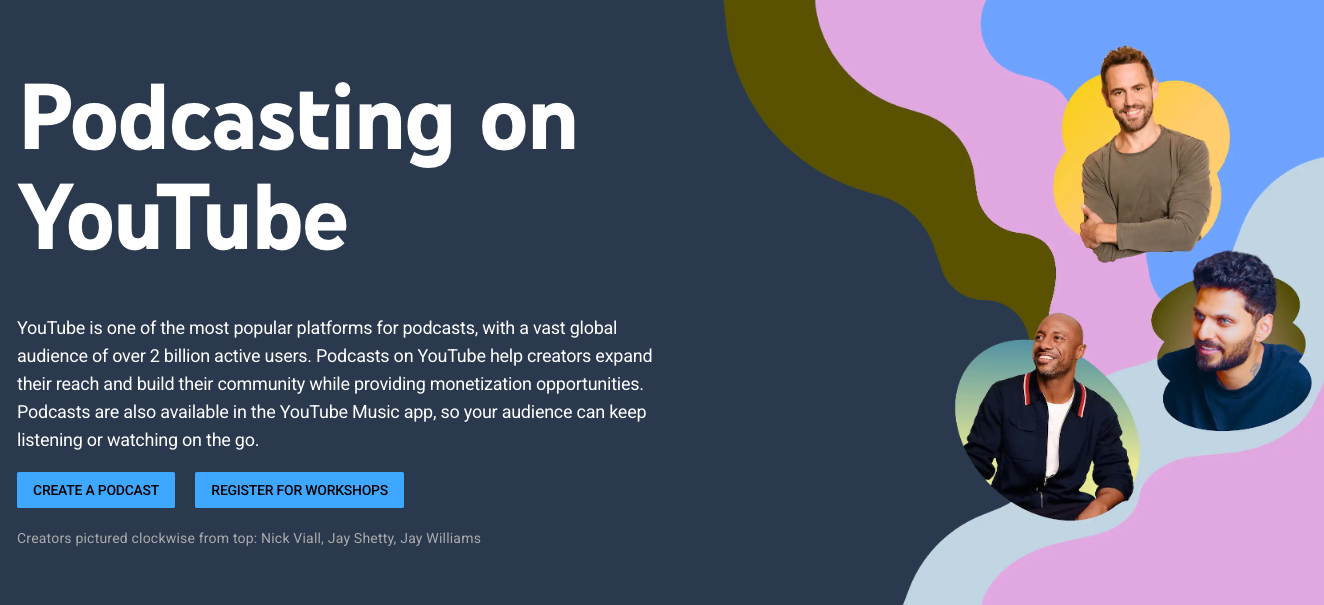
Once the concept is clear and you’ve chosen your path, it’s time to configure things inside YouTube Studio.
1. Create or prepare your channel
If you don’t already have one, create a YouTube channel for your show. Set the channel name to match your podcast name or main brand and align your banner and avatar with your wider identity.
Add a short description that explains who you serve and what they can expect from your podcast content. Link to your website or main landing page and make sure everything feels coherent so people recognise you at a glance while they’re browsing YouTube.
https://www.youtube.com/watch?v=aKydtOXW8mI
2. Open YouTube Studio and create a podcast
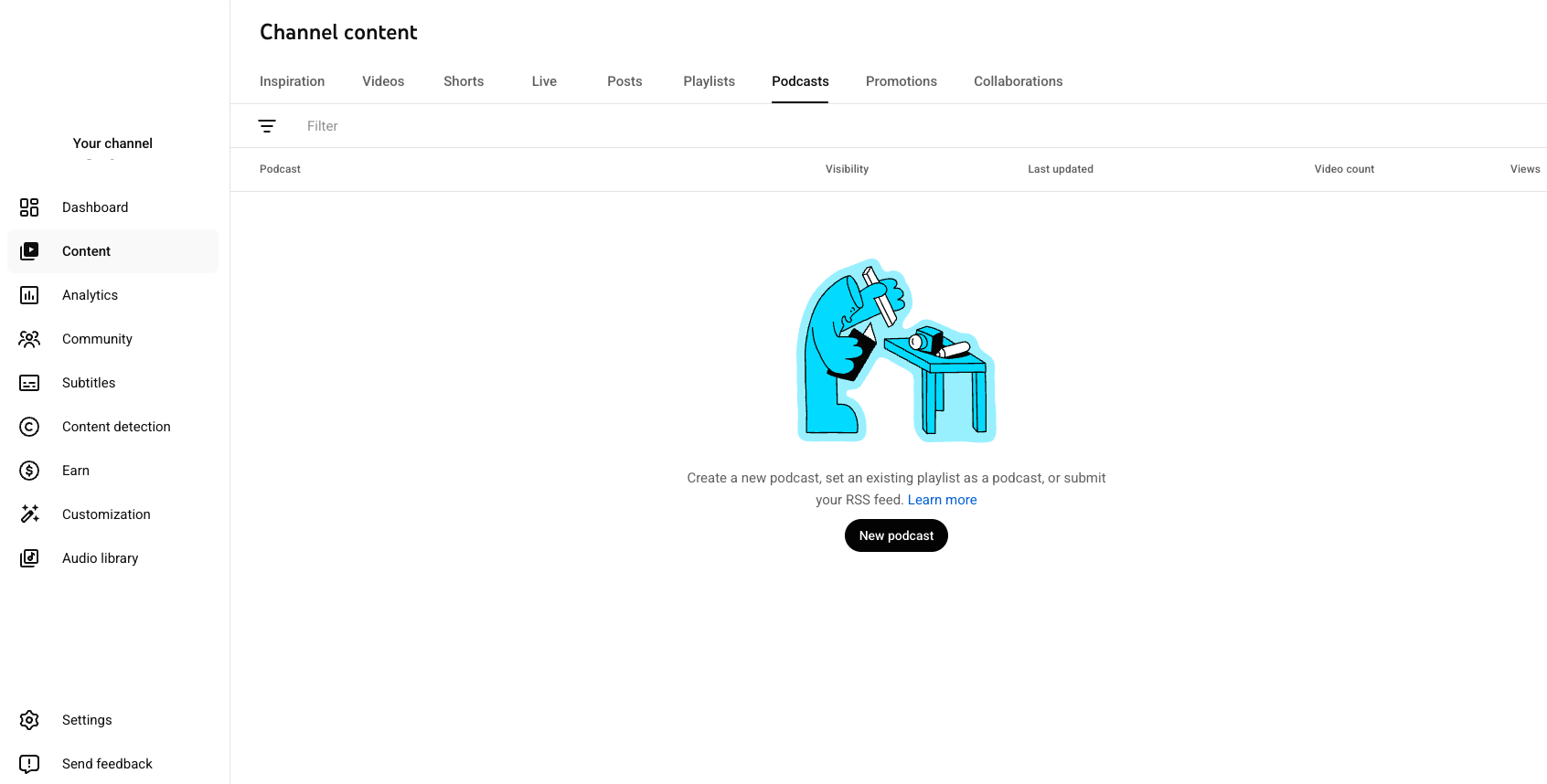
Sign in to the right YouTube account, then open YouTube Studio on desktop and use the Create menu to start the podcast setup. In the top right, click Create, then select New podcast to open the dedicated podcast flow.
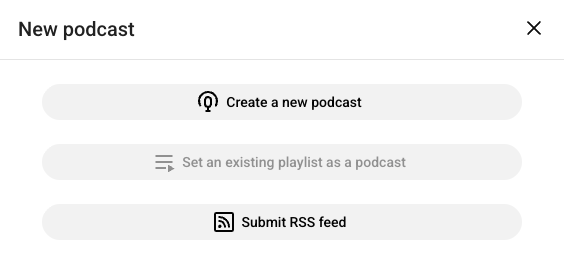
Here you can create a new podcast or choose to set an existing playlist as a podcast. If you already have a run of videos, you might pick an existing YouTube playlist and turn that into the home for your show, and using an existing playlist as a podcast lets you keep comments and history while adding podcast features on top.
3. Enter your podcast details
Add your title, description, artwork, and visibility. Lead with clear value in the title, not just in-jokes or episode numbers.
Write a short, keyword-aware description in natural sentences so people and search understand the show. Set visibility to Public so it can be found.
Upload a square cover image (YouTube recommends 1280×1280+). If you’re reusing it for podcast apps too, higher-resolution artwork can help.). Simple design tends to work best: clear faces, bold text, and clean colours.
4. Upload or add your first episodes
For a native video podcast, upload each episode as a normal video and assign it to the correct podcast playlist before publishing so the order stays clean.
If you already have videos, use Add existing videos to pull them into the playlist. Keep episode naming and numbering consistent to avoid chaos later.
On the RSS route, YouTube generates static episodes from your audio. Review drafts, set visibility, and choose when publishing starts.
5. Optimise how your show appears on the watch page
Check the podcast watch page like a first-time viewer: episode order, artwork, and whether titles/descriptions make sense at a glance.
Update titles to lead with the hook or guest name (not only “Episode 12”). Add relevant tags, timestamps/chapters, and end screens to push viewers to the next episode or playlist.
Use clear, consistent thumbnails with minimal text so the series looks cohesive and earns clicks.
Recording and editing workflow that survives busy weeks
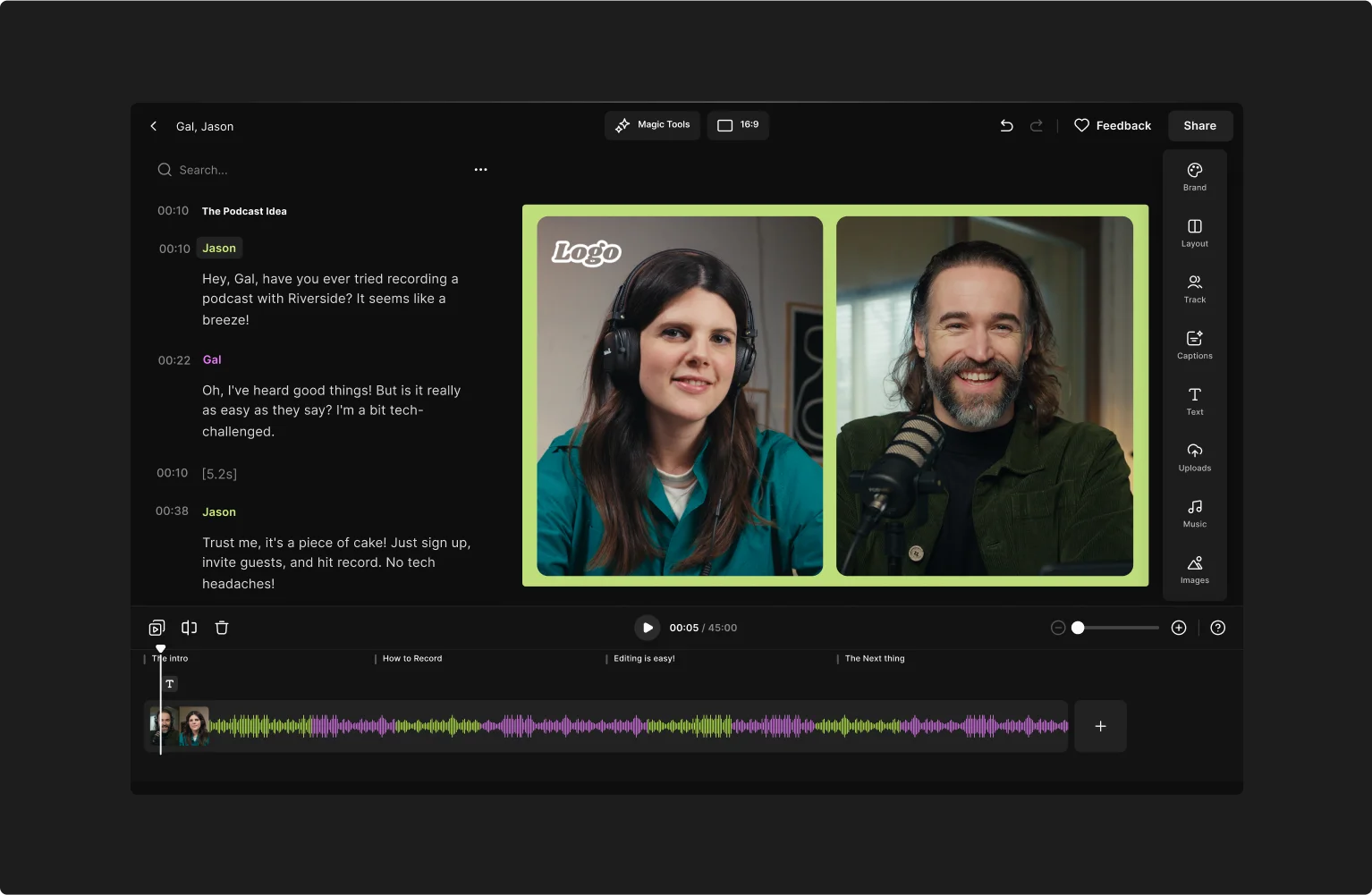
A solid workflow turns “starting a podcast” into “still publishing a year from now” instead of burning out after three uploads.
Before you record
Keep prep light but intentional. Script the first 30–60 seconds so the hook and intro land, then outline the rest as bullet-point beats.
Do a quick setup check before guests arrive or you hit record: lighting, framing, mics, and headphones. Make it obvious where to look so on-camera body language feels natural.
During the recording session
Treat it like a small studio. Recording at 48 kHz / 24-bit gives more accurate audio representation and more headroom for processing.
Set levels so strong speech doesn’t clip but isn’t buried. If someone stumbles, pause and restart from the last clean line instead of pushing through.
For remote sessions, use a tool that records isolated tracks per person (for audio and video). It’s far easier to edit than a single compressed call recording. Use Riverside, SquadCast, or Zencastr so you get separate tracks recorded locally, even if your internet drops or glitches.
Editing audio and video
Edit for clarity, not gimmicks. Cut detours and false starts, but keep genuine reactions that make the conversation feel human.
Use light processing to remove background noise without making voices sound artificial.
On video, keep cuts clean and effects minimal. Save a named project file and final export per episode, then back up both in at least two places.
Publishing and optimising your YouTube podcast
Uploading is part of the craft. Don’t rush it at the end of a long recording day if you can help it.
Write for search, but keep it human
Treat titles, descriptions and tags as part of how you communicate. Write titles that match what your target audience might type while browsing YouTube but still sound natural, and use the first lines of the description to explain who the episode is for and why it matters.
Add tags that cover your show name, episode topic and relevant keywords so YouTube understands your podcast content.
Make the episode easier to watch through
Use timestamps and chapters so viewers can skip to the parts they care about most, and add end screens and cards to other podcast episodes or a main playlist to help watch time compound.
Make it instantly recognisable in the feed
Thumbnails and images deserve deliberate design. Use strong faces, clear expressions and a few bold words so your show stands out in a busy feed and feels consistent from one podcast episode to the next. Creating eye catching thumbnails is one of the simplest ways to boost click through rates for your podcast episodes on YouTube.
Publish on a rhythm people can rely on
Decide on a release cadence and stick to it. Consistency in your publishing schedule is important because your audience will come to rely on it, and regularly scheduling podcast releases helps YouTube learn when to show your content to people who enjoy similar videos.
YouTube SEO checklist for every episode
YouTube is a search engine as much as a video platform, so strong SEO helps the right people find your episode through search and recommendations.Before you publish a new podcast episode, run through this quick list so you don’t miss easy wins.
- Title: Lead with the main value or guest name and include one or two relevant keywords a viewer might use while browsing YouTube.
- Description: Summarise the episode in a few clear lines, mention key topics and include one primary link near the top plus any supporting links below.
- Tags: Add your show name, core topics, guest names and a few closely related keywords to give YouTube extra context.
- Chapters: Add timestamps with simple, descriptive names so viewers can jump to different parts of the conversation quickly.
- Thumbnail: Use a clear image, readable text and a consistent style so people recognise your show instantly in feeds and suggested videos.
- Playlists: Add the episode to your main podcast playlist and any relevant supporting playlists so listeners can binge related content easily.
How to promote your YouTube podcast
Promotion works best when it feels like part of the show rather than a separate chore that you bolt on at the end.
Use short highlights to drive full-episode views
Creating teaser clips from podcast episodes is one of the fastest ways to promote the show on social media and reach a wider audience. Cut 15–60-second highlights and post them as Shorts and on other platforms, always linking back to the main watch page so viewers can stay with the full episode.
Build a bingeable playlist journey
Creating a dedicated YouTube podcast playlist allows listeners to binge episodes without effort. Whether you build it from new videos or an existing playlist, make it easy to find on your channel home page so new viewers can start at the right point.
Turn comments into conversation (and discovery)
Engage with viewers in the comments to strengthen your connection. Ask a specific question at the end of each episode and pin a comment with your answer and a link to a great starter episode, and remember that engaging with viewers through comments can improve video relevance on YouTube.
Keep the channel active between uploads
Use the Community tab to share studio stills, run simple polls, and preview guests so people feel involved between uploads.
Make sharing easy for guests
This is a common playbook among YouTube creators in competitive niches. Invite guests who already speak to your target audience and send them a short one-pager with links and images so sharing is easy, because podcasts on YouTube can help creators expand their reach and build a community around their work.
Analytics and monetisation basics
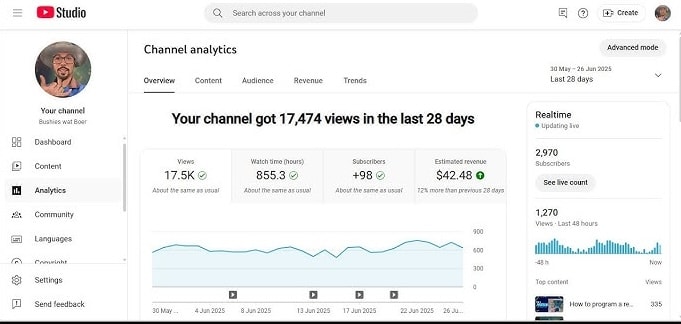
YouTube Studio helps you judge how episodes perform. Podcasts also get dedicated podcast analytics, so you can view views, watch time, and retention grouped by show instead of across your whole channel.
Focus on retention signals that drive growth
Watch time and retention are core signals. Study drop-off points and refine your hook, structure, and thumbnails. Check traffic sources (search, suggested, external) so you know what’s actually driving viewers.
Treat analytics as an input to revenue strategy
Performance data should guide monetisation. Once you meet YouTube Partner Program requirements, you can earn ad revenue and unlock features like memberships and shopping. From there, add sponsorship reads, affiliate links, and your own products in ways that fit the show.
Monetise early, even before eligibility
Even before you qualify, you can promote products, services, and newsletters in descriptions and end screens. When audio is strong and the episode delivers clear value, the podcast becomes a reliable path from viewer to customer.
Accessibility and viewer experience
YouTube podcasts should meet a basic accessibility standard so no one is locked out. Enable captions on every episode and quickly fix obvious errors on your key videos.
For technical or story-heavy episodes, publish a full transcript on your site and link to it in the description. Keep editing calm and readable: avoid flashing visuals and frantic cuts, and use a consistent style that supports the conversation rather than distracting from it.
Why starting a podcast on YouTube is a great idea
YouTube gives your podcast built-in reach without asking people to download a new app. Viewers can discover episodes through search, recommendations, and Shorts, then stick around once the conversation lands.
Video adds trust and connection because people can see faces and body language, not just hear voices. And because one recording can serve both YouTube and audio platforms, you can publish in both places and double down on what performs best
Final checklist
Before you publish your first podcast on YouTube, run through this list so nothing important slips past you.
Start your YouTube podcast journey at TYX Studios
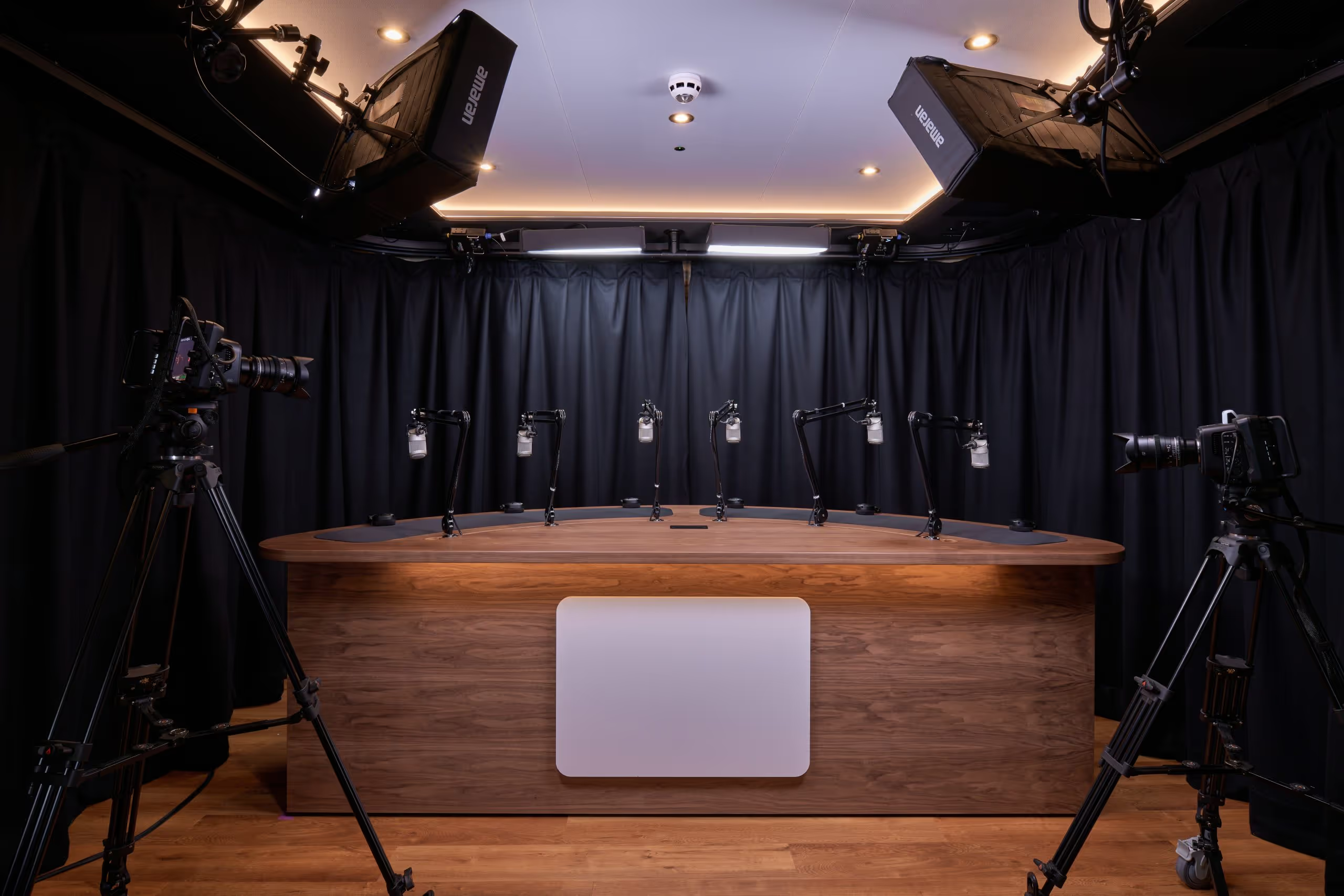
At TYX Studios, we work with leading podcasters, YouTube creators, and brand teams who need reliable quality and a repeatable process. Our three podcast studios at Tileyard London are built for professional audio and 4K video, with acoustic treatment, industry-standard gear, and a technician running every session. Our newest room, Studio 1, gives you multiple backdrops and ceiling-rigged lighting with no visible kit, so your footage looks polished from the first frame.
From solo sessions to remote interviews and multi-camera video podcasts, our production team can handle editing, social clips, and finished episodes ready to publish across YouTube, Spotify Video, and beyond.
Frequently Asked Questions
In YouTube Studio go to your playlists, choose the one you want and set that playlist as a podcast. Add square artwork, check the title and description, then review the watch page to make sure everything looks right, and remember you can also choose an existing YouTube playlist when you first create a podcast so you don’t have to rebuild from scratch.
Yes. You can start a podcast on YouTube with simple static visuals while you refine your recording setup, convert audio files to video with a still image or use the RSS feed option to auto create episodes. Over time you can add cameras, lighting and a proper set to turn it into a full video podcast once the workflow feels solid.
If you already have an audio podcast and want to add YouTube without rebuilding your process, linking your RSS feed is a good option because it lets YouTube import your archive and upload new episodes in select regions whenever the feed updates. You still get YouTube podcast analytics and reach while keeping one central publishing pipeline that also feeds other platforms.
Focus on the first minute of every episode and lead with the value, not housekeeping, while showing the host or guests clearly on screen. Avoid long intros before the real topic starts, then use YouTube Studio analytics to see where people stop watching and adjust hooks, structure and thumbnails based on that data.
You don’t have to choose between a podcast or YouTube channel, because you can create or refresh your channel, record a video podcast episode and publish the audio version to apps from the same master file. That way you grow both presences together and can later decide whether to lean more into video podcasts on YouTube or into audio first podcasting as you see what your audience prefers.
TYX can handle the heavy lifting so you can focus on the content. We help you plan your show, record in pro studios, then take care of editing, mixing, and sound design. On top of that, we can film video podcasts, create social clips, and support distribution so each episode looks and sounds on-brand and is ready to promote across all your channels.
Our podcast production services start at around £1,000 per episode.
This all-inclusive package includes 3 hours of studio hire with high quality production, professional recording equipment, editing, post production and final audio and video assets ready to share on major social media channels.
How to Start a Podcast in 2026: Full Step-by-Step Guide
Learn how to create a podcast in 2026 with a practical, step-by-step system for planning, recording, hosting, editing, and launching across audio and video.

.avif)